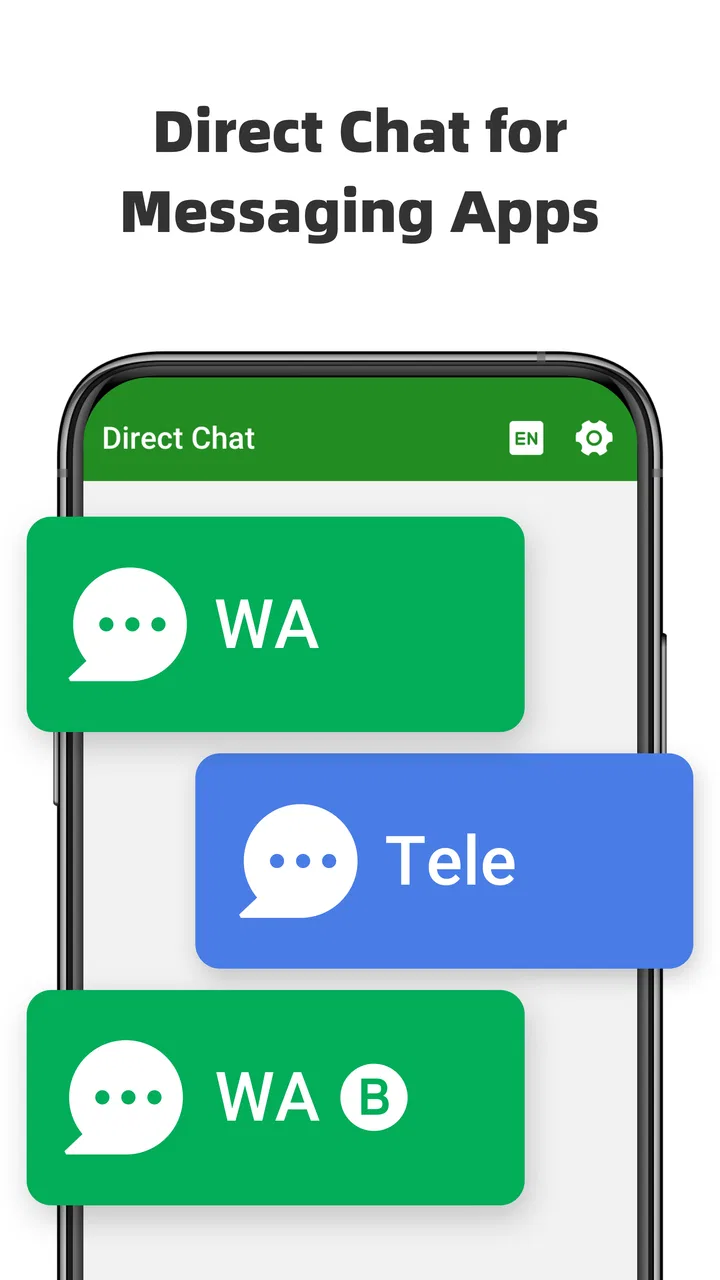
Direct Chat & Messaging
- 4.5
- Rating
- 10.00M
- Installs
- Free
- Price

 Analysis by App-foxy
I first looked at Direct Chat & Messaging as a small utility for a very ordinary problem: starting a WhatsApp conversation without filling my address book with temporary contacts. That sounds minor, but it becomes surprisingly useful in a busy household, on a shared tablet, or whenever several people need to contact different numbers for one-off tasks. The app also presents itself as a way to use two WhatsApp accounts on one device, so its appeal goes beyond a simple shortcut.
My overall impression is that this is a focused productivity app rather than a replacement for WhatsApp. It helps separate the act of beginning a conversation from the act of permanently saving someone’s number. That distinction is valuable when I am messaging a delivery driver, a repair service, a marketplace seller, or a guest who will not remain in my contacts. At the same time, the dual-account idea needs a little more care than the short store description suggests, especially when a phone is shared by several people.
How it fits into a shared household device
The most convincing use case is a phone that is used by more than one person, even informally. Imagine a family member keeping a device near the kitchen for deliveries, school coordination, appointments, and household errands. One person may need to open a chat with a new number, while another wants to use a separate WhatsApp account. Saving every number to the main contacts list quickly creates clutter and makes it harder to know which conversations belong to whom.
You May Also Like

 Blood Strike: 2.5 Anniversary
Blood Strike’s Loadouts Turn Every Drop Into a Tactical Gamble
A close look at Blood Strike’s custom loadouts: how fast access to signature weapons reshapes its battle royale rhythm, rewards preparation, and narrows the gap between fights.

 Pandora - Music & Podcasts
Pandora’s Music Is Easy to Start, but Harder to Recover
Pandora’s strength is its low-effort path from a seed to a station. Its weak spot is how much confidence it asks you to place in connection, setup, and quiet recovery.

 8 Ball Pool
 Is Built on Rivalries, Rematches, and Routine
A close look at the rivalries, rematches, shared routines, and unanswered safety questions that turn a quick pool match into a persistent mobile community.

 Samsung Music
’s Quiet Strength Is Playing What You Already Own
Its reach comes less from spectacle than from dependable access to a personal library. That simplicity is both the app’s strongest retention engine and its ceiling.

 AccuWeather: Weather Radar
AccuWeather Review: A Quick, Clear Forecast for Everyday Decisions
For everyday plans, the best forecast is the one you can understand quickly. AccuWeather makes rain timing, radar, and local conditions easy to act on, with a few trade-offs.

 Hill Climb Racing
Why Hill Climb Racing Still Turns Crashes Into One More Run
A tiny car, a bumpy hill and one more upgrade: Hill Climb Racing keeps resurfacing because its simple chaos makes every near-miss feel personal.
More From Our News Desk



In that situation, a direct-chat tool can act as a neutral starting point. I can enter a number, open the conversation, and leave the address book unchanged. That is especially practical for short-lived communication. A plumber’s number, a seller arranging collection, or a courier’s contact does not necessarily deserve a permanent place among family and friends.
There is also a useful boundary here between convenience and ownership. The app does not turn a shared phone into separate private phones. It may make access to different WhatsApp accounts more convenient, but the device itself remains shared. Anyone who can unlock the phone may still encounter notifications, recent conversations, or account information depending on how WhatsApp and the phone are configured. I would therefore treat the app as a coordination aid, not as a privacy system.
For a household, that distinction matters more than the headline feature. A parent might use the direct-chat function for school contacts while another adult handles work messages through a second account. That can reduce accidental mixing, but only if each person agrees on which account is used for which purpose. Without that agreement, two accounts can create a different kind of confusion: people may not know where a message was sent or which identity is replying.
Starting a conversation without building a contact list
The direct-chat workflow is the clearest reason to install this app. Instead of saving a number first, I can use the app as the entry point for a WhatsApp conversation. This is more than a cosmetic shortcut because it keeps temporary communication from becoming permanent contact data.
I find that useful in three common situations. First, there are service conversations that last only until a job is finished. Second, there are group activities where I need to contact several unfamiliar people but do not want to keep all their numbers. Third, there are shared-device situations where saving a number could make it appear in everyone’s contact suggestions and messaging lists.
The trade-off is that a saved contact is often easier to identify later. A direct chat may begin cleanly, but the conversation can still become difficult to recognize if the number is not familiar. My practical approach would be to use the app for temporary or clearly labeled conversations, then save only the people I expect to contact again. That keeps the address book useful without forcing every new conversation into it.
People who regularly message businesses, local services, buyers, sellers, or event participants will probably notice the benefit quickly. People who mostly chat with the same saved contacts may find the extra step unnecessary. In that case, WhatsApp’s normal contact picker is simpler because names, profile details, and existing conversation history are already organized there.
What the two-account idea changes on one phone
The second major use is keeping two WhatsApp accounts available on a single device. This can suit someone who separates personal and work communication, or a household where one phone is used for two clearly different roles. It may also help when one account belongs to a family activity and another belongs to an individual.
I would not assume that having two accounts automatically creates two completely independent spaces. Account separation is not the same as user separation. Notifications can still appear on the same phone, conversations can still be visible to the person holding it, and the wrong account can be selected if the routine is not clear. The app is most useful when the goal is practical switching, not strict secrecy.
A good household workflow is to assign each account a simple purpose before using the feature. For example, one account can handle private communication and the other can handle household coordination. The important part is consistency: use the right account from the beginning of each conversation, and check the active account before sending anything sensitive or personal.
This is one of the less obvious trade-offs. A second account can reduce mixing, but it can also increase the number of places where messages need to be checked. If someone expects every household message to appear in one inbox, the arrangement may slow them down rather than help. For that kind of home, a single account with clear chat organization may be better.
Setup boundaries I would establish first
Before handing the phone to another person, I would test the workflow with non-sensitive numbers. I would check which account opens, where the conversation appears, and how easy it is to return to the intended account. This short trial is more valuable than assuming the feature will match the way the household imagines it.
I would also decide who is allowed to start chats and who is responsible for replying. A shared device can make responsibility vague. If a new message arrives, two people may assume the other person will answer. The app can make initiating contact easier, but it cannot create household rules for follow-up.
Another useful habit is to avoid using direct chat as a substitute for identifying the recipient. Entering a number quickly is convenient, but a single wrong digit can start a conversation with the wrong person. I would compare the number carefully before sending anything, particularly when dealing with school contacts, appointments, payments, or private family matters.
The app is free to install, while in-app purchases are listed from $4.99 to $9.99 per item. That makes it easy to try without an initial payment, but I would still examine what is available before paying. For my own use, the direct-chat purpose needs to save enough time to justify any optional purchase. If I only use the feature once a month, the free experience may already be sufficient.
Coordinating family, work, and temporary contacts
Where I see the strongest everyday value is in dividing communication by context. A household may have one number for a shared WhatsApp account and another for personal use. A small business owner may keep customer conversations separate from family chats. A student may need to contact classmates without adding every number to a personal address book.
Direct Chat & Messaging can support those routines by making the first contact less formal. I can start a conversation when needed, decide later whether the person belongs in my contacts, and keep the phone’s address book focused on lasting relationships. That is a modest improvement, but it removes a repetitive step from many small tasks.
For coordination, I would pair the app with a simple naming rule inside WhatsApp. If a number is temporary, I would make the purpose clear in the first message: identify the household, the appointment, or the item being discussed. That way, the conversation remains understandable even when the number is not saved under a name.
A realistic example would be a shared family phone used to arrange a furniture pickup. One person enters the seller’s number, starts the chat, and confirms the meeting time. Another household member can then see that the exchange relates to the pickup rather than assuming it is a personal contact. Once the item has been collected, the number does not need to remain in the address book. The app’s value here is not glamorous; it is the reduction of small bits of digital housekeeping.
There is a limit, though. The app does not replace a proper shared task system, calendar, or family messaging plan. If the household needs reminders, assigned responsibilities, or a reliable record of decisions, a dedicated productivity tool will be stronger. This app helps begin WhatsApp conversations; it does not turn those conversations into structured projects.
Age, trust, and the meaning of “shared”
The content rating is Everyone, which makes the app broadly approachable from an age-classification perspective. That should not be confused with automatic suitability for every shared-device arrangement. A child, teenager, guest, or older relative may use the same phone, but each person may have different expectations about privacy, supervision, and responsibility.
I would be particularly careful when a younger person uses the device. The app can make it easier to contact numbers that are not saved, so the household should agree on when that is appropriate and how unfamiliar contacts are handled. The feature is convenient, but convenience should not remove ordinary checks about who is being contacted.
Trust also matters between adults. If two people share one phone and two accounts, the arrangement works only when both understand what remains visible on the device. I would not present this app as a way to hide conversations from another device user. Anyone choosing it for household use should discuss notifications, screen access, and which account is intended for which kind of message.
That honest boundary is important because the app’s strongest benefit is organization, not anonymity. It helps avoid saving numbers and can make account switching more practical, but it does not establish separate locks, separate hardware, or guaranteed confidentiality. Someone seeking strong personal privacy would be better served by individual devices and the security options offered by the operating system and messaging service.
Where it stands beside the usual alternatives
The usual alternative is simply saving a number in the phone’s contacts and opening WhatsApp from there. That method is familiar and often better for people who communicate with the same contacts repeatedly. It gives the conversation a recognizable name and makes future calls or messages easier. Direct Chat & Messaging wins when the number is temporary or when contact-list clutter is the main irritation.
Another alternative is using WhatsApp’s own account-management options where available on the device. That may be preferable for users who want the most direct integration with the messaging service. A dedicated utility can still feel more convenient for a direct-number workflow, but I would choose the native route when account switching is already handled cleanly and no extra layer is needed.
For work and household coordination, a separate business messaging setup or a shared inbox may be more appropriate than two accounts on one phone. Those tools can provide clearer ownership and better records, while this app remains lightweight and personal. Its strength is speed and simplicity, not administration.
I also would not choose it for someone who dislikes managing multiple entry points. If the user wants one obvious inbox, one address book, and no decisions about account boundaries, the app may add friction. It is best for people who already feel the pain of unsaved numbers or mixed WhatsApp identities.
Practical habits that make the app more useful
My first tip is to separate temporary contact from permanent contact deliberately. Do not save a number merely because WhatsApp needs a starting point. Use the direct-chat route for one-time conversations, then review the chat later and save the number only if a continuing relationship develops.
My second tip is to create an account rule that can be explained in one sentence. “This account is for household matters; that one is personal” is much easier to follow than a complicated system based on individual contacts. Clear rules reduce wrong-account messages and make the shared phone easier for everyone.
My third tip is to use the first message as an identifier. When the number is unsaved, write enough context for the recipient to know who is speaking and why. This is useful for a family member coordinating a repair, a buyer arranging collection, or a student contacting a group member. It also helps the household recognize the purpose of a conversation later.
My fourth tip is to test before relying on the app for an urgent exchange. Open a harmless chat, switch between the intended accounts, and make sure each person understands the routine. A few minutes of preparation can prevent a message being sent from the wrong identity at an inconvenient moment.
Finally, I would keep expectations modest. The app can reduce contact-list clutter and support a two-account workflow, but it cannot decide which conversations deserve attention, protect a shared screen by itself, or replace a household agreement. Those limits do not make it poor; they simply define what it is actually good at.
Who should install it
I would recommend it to people who frequently message numbers they do not want to save, especially service users, marketplace participants, students, and families managing a shared device. It is also worth trying for anyone who keeps personal and work WhatsApp communication separate but wants both accounts available on one phone.
The app has reached over ten million installs and holds a 4.6 average from around seventy thousand ratings, so it is clearly not an obscure experiment. Longnine has released it as a productivity app, and the current version is 1.0.20. It runs on Android 7.0 or later, which gives it a fairly broad device range.
I would skip it if nearly every conversation is with an existing contact, if the phone has only one WhatsApp identity, or if strict privacy between users is the main requirement. In those cases, the normal WhatsApp workflow or a genuinely separate device is likely to be clearer and safer.
The age rating of Everyone and the free entry point make trying it straightforward, although optional purchases range from $4.99 to $9.99 per item. I would begin with the basic workflow and judge it by one question: does it remove a recurring annoyance in the way I actually use WhatsApp? If not, paying for extras would not solve the underlying mismatch.
My household verdict
After looking at it as a shared-device tool, I see Direct Chat & Messaging as a practical convenience rather than a complete communication system. Its best idea is simple: a phone number can be useful for a conversation without becoming permanent contact-list clutter. The two-account angle adds flexibility, particularly for personal and household roles, but it needs clear boundaries and realistic privacy expectations.
I would recommend it to a household that already has a reason to separate WhatsApp identities and wants an easier way to begin temporary chats. I would not recommend installing it just because two accounts sound useful in theory. Without a clear routine, it can add another layer to remember.
For me, the deciding strength is the combination of direct messaging and controlled contact saving. It handles a narrow problem well, supports several everyday scenarios, and stays approachable for a wide range of Android users. The best reason to use it is not secrecy; it is keeping shared communication organized without turning every short conversation into a permanent contact.
FAQs for Direct Chat & Messaging
01What is Direct Chat & Messaging and how does it work?
Direct Chat & Messaging is an app designed to streamline communication by integrating various messaging platforms into one interface. It allows users to send and receive messages from different apps without switching between them. By providing a unified experience, it saves time and enhances productivity. The app supports popular messaging services, ensuring you stay connected effortlessly.
02Is Direct Chat & Messaging secure for personal information?
Yes, Direct Chat & Messaging prioritizes user security by employing robust encryption protocols to safeguard your messages and personal data. The app ensures that your information remains private and is not accessible to unauthorized users. Regular updates enhance its security features, addressing potential vulnerabilities promptly.
03Can I customize notifications in Direct Chat & Messaging?
Absolutely! Direct Chat & Messaging offers extensive customization options for notifications. Users can personalize alert tones, vibration patterns, and LED colors for different contacts or groups. This feature helps you manage your priorities by distinguishing between important and less urgent messages, enhancing your overall messaging experience.
04Does Direct Chat & Messaging support multimedia messages?
Yes, Direct Chat & Messaging supports a wide range of multimedia messages, including images, videos, and voice notes. The app ensures smooth sending and receiving of these files, maintaining high quality and fast transfer speeds. It also offers cloud storage integration, allowing easy access and sharing of multimedia content.
05What platforms is Direct Chat & Messaging available on?
Direct Chat & Messaging is available for both Android and iOS devices. It is designed to function seamlessly across different operating systems, making it accessible to a wide user base. The app is regularly updated to ensure compatibility with the latest OS versions, providing a stable and efficient user experience on any device.
Pros
- Supports multiple messaging apps.
- Easy to use interface.
- Customizable chat bubbles.
- Saves time with quick responses.
- Lightweight and fast.
Cons
- Limited customization options.
- Ads can be intrusive.
- Occasional notification delays.
- No dark mode available.
- Requires frequent updates.

Direct Chat & Messaging
Gallery